
Best Restaurant Management Software in Bangladesh
Key takeaways
- Restaurant management software connects the kitchen, floor, and billing into one live order; the real test isn't the feature list, it's whether an order placed at the table reaches the kitchen automatically.
- Restaurant software pricing in Bangladesh typically runs ৳1,000–5,000/month for cloud subscriptions or ৳10,000–50,000 for a one-time license, and kitchen-side hardware (KDS screens, waiter tablets) is usually billed separately from the software.
- What happens during an internet outage varies by vendor, some systems queue orders locally and sync later, others stop until the connection returns, and at least one vendor's own customer service has confirmed this directly in a public review.
- NBR-compliant VAT in Bangladesh means an Electronic Fiscal Device, Sales Data Controller, or PKI-enabled system, not just a general "VAT ready" claim; ask which one a vendor actually has.
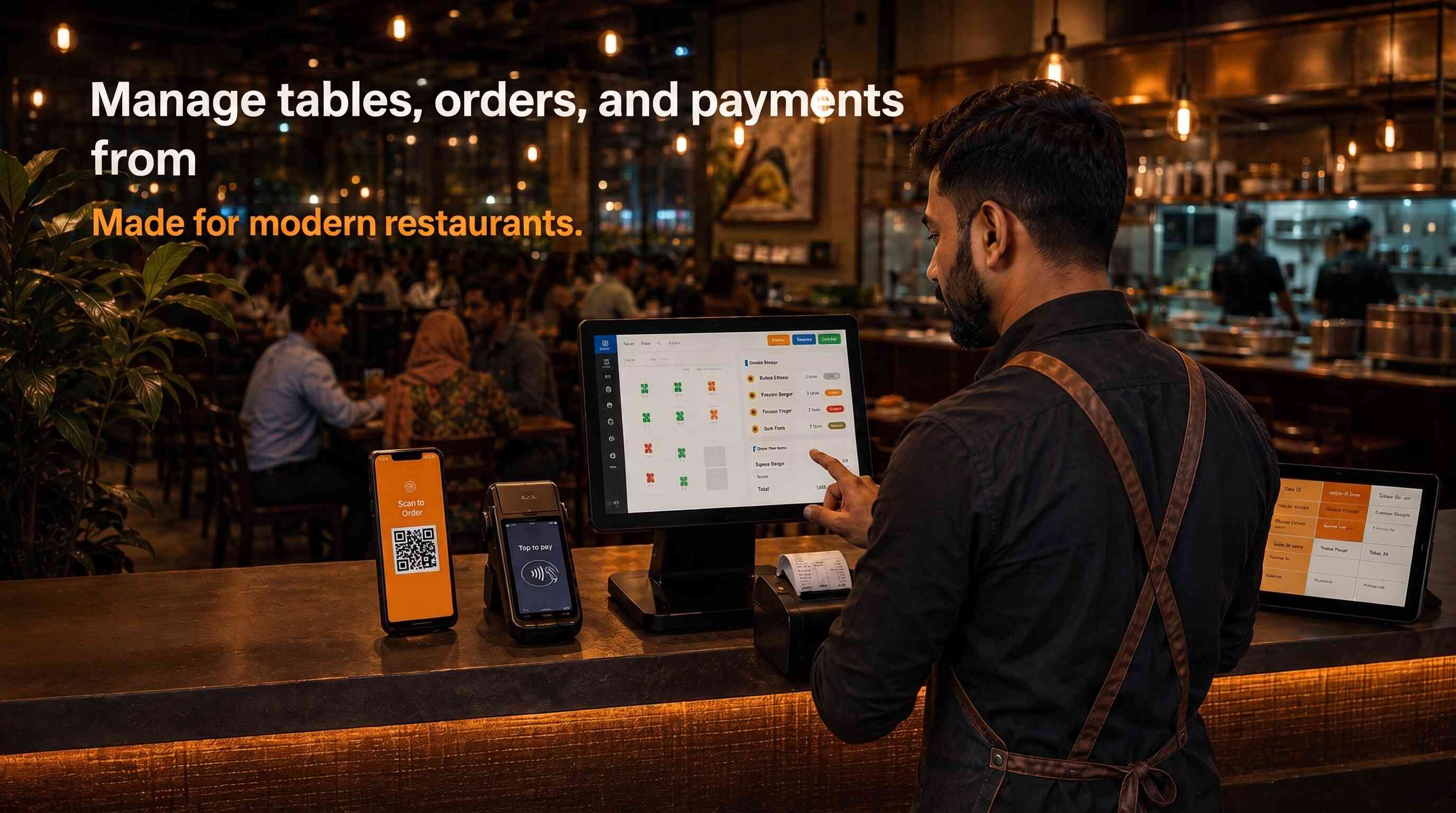
There is no single best restaurant management software in Bangladesh, the right choice depends on whether you run a single café, a food court stall, a multi-branch chain, or a fast-casual outlet, and how tightly you need your kitchen, tables, and billing connected. For most Bangladeshi restaurants, ZAB POS restaurant edition by Orange Solutions is the strongest overall choice, because it connects kitchen order tickets, table management, menu management, and billing into one system, with a customer-facing mobile ordering app built in.
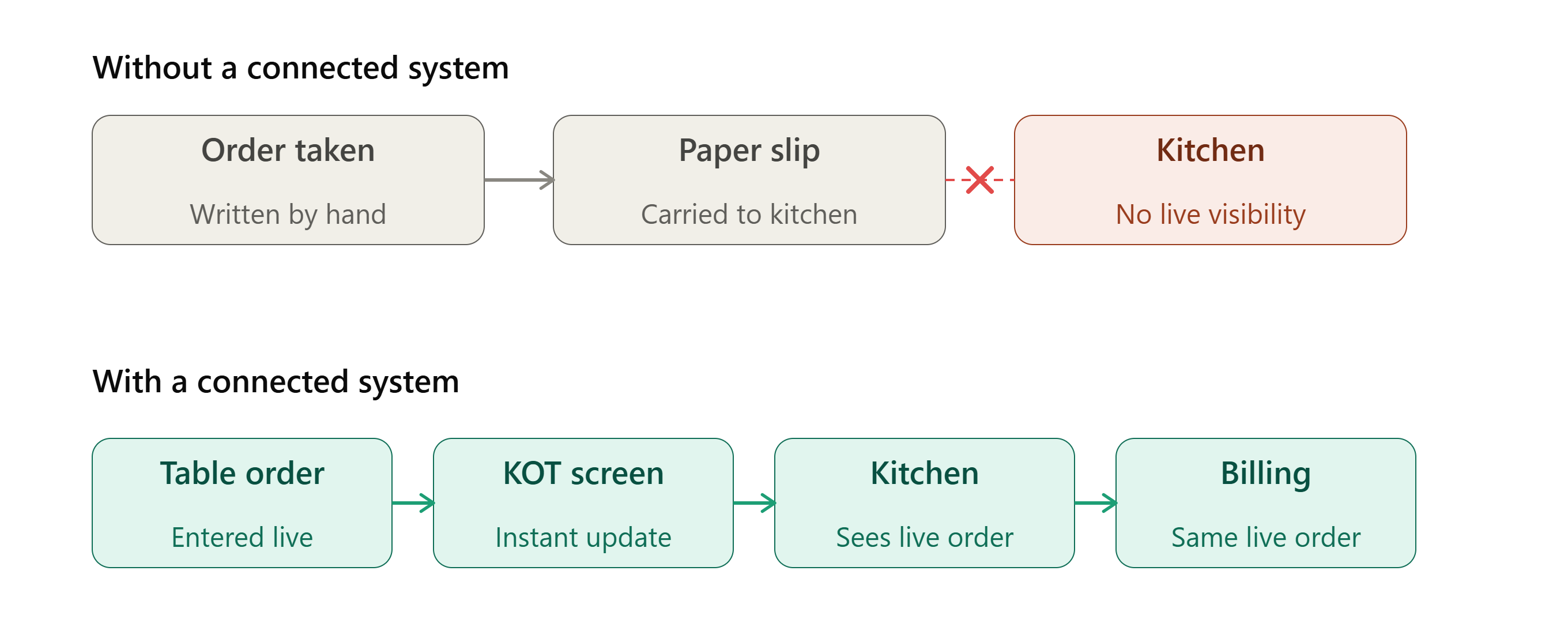
A mid-sized restaurant in Dhaka's Banani area ran its kitchen off handwritten order slips passed from the floor to the kitchen by hand. On a busy Friday night, two waiters wrote near-identical orders for two different tables, one slip got mixed up with another, and a table waited forty minutes for a dish that had already gone out, cold, to the wrong table entirely. The kitchen had no way to know what was actually outstanding, the floor had no way to know what was actually cooking, and by the time anyone noticed, the food was wasted and the table had already left an unhappy review online.
That's not a staffing problem, it's a connection problem, the same one restaurant management software exists to solve: a kitchen order system (KOT) that shows the kitchen exactly what's outstanding, a table management system that shows the floor exactly what's happening at each table, and a POS system restaurant staff can actually trust, all reading from the same live order, not separate slips of paper. Before comparing specific vendors, it's worth understanding what a restaurant system actually needs to connect, and where a generic POS falls short of that.
What does restaurant management software actually need to do?
Restaurant management software connects the kitchen, the floor, and billing into one live order, so a table's order appears on the kitchen's screen the moment it's placed, updates when it's ready, and flows straight into the bill, without anyone re-writing or re-entering it by hand. In Bangladesh, this typically means a kitchen order ticket (KOT) system, table management, a POS for billing, and menu management as a connected minimum, with inventory tracking and online or mobile ordering as common additions for larger operations.
Why "connected" matters more here than in general retail POS:
A retail POS mainly connects one counter to one stockroom. A restaurant system has to connect three moving parts at once, in real time, during service, the floor taking orders, the kitchen preparing them, and the counter billing for them, and any gap between those three is a gap a customer notices immediately, a wrong order, a cold dish, a table billed for something they didn't order. Most vendors list similar module names, KOT, table management, POS, menu management, on a feature sheet they look interchangeable. What actually separates a working restaurant system from a collection of separate tools is whether an order placed at the table appears on the kitchen's screen without a waiter walking it over, and whether a dish marked "ready" in the kitchen updates the table's status on the floor automatically.
The minimum a restaurant system should cover:
- Table ordering and table management, so the floor always knows the live status of every table
- A kitchen order ticket (KOT) or kitchen display system, so the kitchen sees orders the moment they're placed, not after a walk across the floor
- Menu management, so price and item changes update everywhere at once, not just at the till
- POS billing that pulls directly from the table's live order, not re-entered separately
- Restaurant inventory management, tracking ingredient stock against what's actually being sold
Larger operations typically add online or mobile ordering, delivery integration, and multi-branch reporting, covered as we go through the comparison below.
Does restaurant software work when the internet goes down?
It depends on the vendor, and this is one of the most important things to confirm before signing, not after. Some restaurant systems keep taking orders locally during an outage and sync once the connection returns; others, including at least one system with a documented customer complaint about exactly this, simply stop working until the connection is restored.
Why this is worse for a restaurant than for most other businesses:
A retail shop losing connectivity mid-sale is a bad moment. A restaurant losing connectivity mid-service is a bad night, tables mid-order, a kitchen that can't confirm what's outstanding, and a floor that can't bill anyone until the system comes back. One real, publicly documented example: a customer reviewing Quickly Restaurant's RestroGreen system on Trustpilot noted "the app is down without internet connection," and the company replied directly, confirming that since it's a cloud-based system, an internet connection is required to use it. That's not a hidden flaw, it's stated plainly by the vendor once asked, which is exactly the point: ask before you sign, not after a busy Friday night.
What to actually ask a vendor:
- Does the system keep taking orders locally if the internet drops mid-service, or does it stop entirely?
- If it queues locally, does it sync automatically once reconnected, or does someone need to re-enter anything?
- Has this actually happened to one of your other Bangladeshi restaurant clients, and what did it look like in practice?
What should restaurant management software cost in Bangladesh?
Restaurant management software in Bangladesh typically costs ৳1,000 to ৳5,000 a month for a cloud-based subscription per outlet, or ৳10,000 to ৳50,000 for a one-time local license, with custom multi-branch or enterprise deployments running ৳50,000 to ৳2,00,000 and beyond. None of these figures typically include hardware, receipt printers, kitchen display screens, or barcode scanners, which are usually billed separately.
Why restaurant pricing has one extra factor general POS pricing doesn't:
Beyond the usual variables, users, branches, modules, restaurant software specifically prices around kitchen-facing hardware most retail POS systems don't need, a kitchen display system (KDS) screen, tablet-based waiter ordering devices, and sometimes a dedicated QR-menu setup for tables. A quote that looks cheap on the software line can still leave you buying two or three pieces of kitchen-side hardware separately, ask for the full setup cost, not just the monthly software fee.
What to actually ask before comparing prices:
- Does the price include kitchen display (KDS) hardware, or is that quoted separately?
- Is the system NBR-approved with proper VAT compliance, an Electronic Fiscal Device, Sales Data Controller, or PKI-enabled system, not just "VAT ready" as a general claim?
- What's the cost of adding a second branch or a delivery/online-ordering module later?
- Is offline mode included by default, or is that a premium tier?
The best restaurant management software in Bangladesh, compared
| Rank | Software | Best For | Deployment |
Internet Outage Behavior |
Starting Price |
| 1 | ZAB POS (Orange Solutions) | Restaurants wanting KOT, table management, menu management, and a customer-facing mobile app connected in one system | Cloud or on-premise | Continues working; syncs automatically once reconnected | Request a quote |
| 2 | Mediasoft (T-POS / Restaura) | Restaurants wanting confirmed offline resilience and a long local track record | Cloud, with offline mode and automatic sync | Continues working; syncs automatically once reconnected | Request a quote |
| 3 | Quickly Restaurant (RestroGreen) |
Restaurants wanting real, independently verifiable client references |
Cloud-based; requires an internet connection | Stops working without an internet connection (vendor-confirmed) | Request a quote |
| 4 | AmarSolution |
Restaurants wanting an affordable, locally supported system with real customer reviews |
Cloud-based |
Requires a continuous connection; halts or needs reconnection if offline |
Request a quote |
| 5 | Smart Restaurant Management (Smart Software Ltd.) |
Restaurants wanting a vendor with a verified multi-vertical track record |
Hybrid; cloud dashboard with local Android/Desktop app | Billing and KOT continue locally; syncs once reconnected. Reporting and online ordering need internet | Request a quote |
ZAB POS (by Orange Solutions)
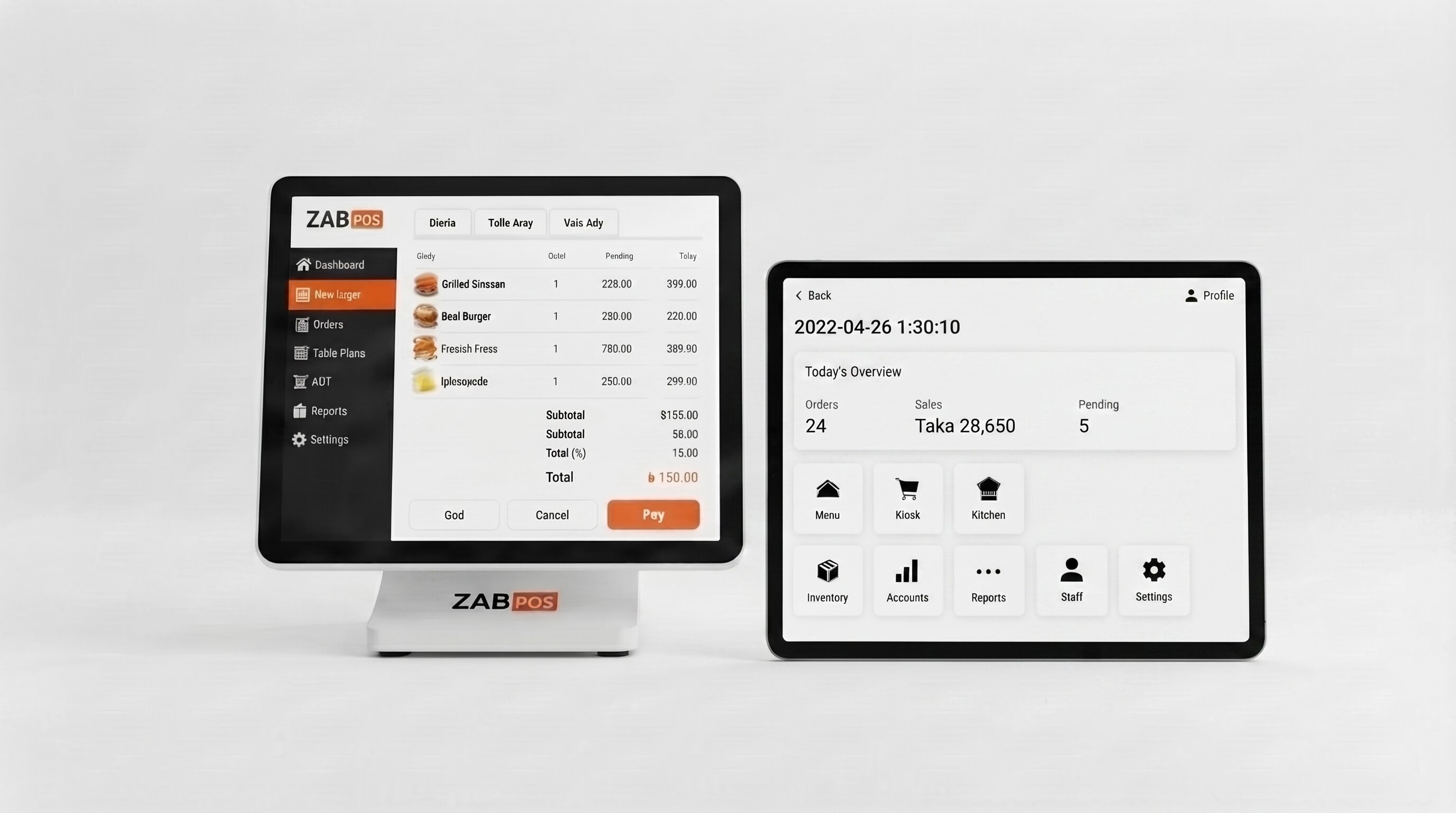
ZAB POS restaurant edition is a restaurant management system built by Orange Solutions, covering kitchen order tickets (KOT), table management, menu management, inventory management, sales reporting, local payment support (bKash, Nagad, and Rocket), and a customer-facing mobile app with QR-code menu scanning built for food courts.
Why it leads this comparison:
The connection problem described in the opening scenario, a kitchen and a floor working from different information, is precisely what ZAB POS's module set is built to prevent. An order taken at the table reaches the kitchen through the KOT system without a waiter walking a slip across the floor, and the menu, inventory, and billing all draw from the same live system rather than separate tools. The food-court QR-menu scanning is a genuine, specific feature most general restaurant POS systems don't offer, useful for any restaurant with a self-service or food-court-style ordering flow, not just traditional table service.
Deployment is available as either cloud or on-premise, according to Orange Solutions, a real difference from every other vendor in this comparison, all of which are cloud-only. According to Orange Solutions, the system also continues working during an internet outage and syncs automatically once reconnected, matching the same resilience confirmed for Mediasoft, and unlike Quickly Restaurant's RestroGreen, which requires a live connection to function at all.
Who it's for, and who it isn't:
ZAB POS is built for restaurants running table service, food-court style operations, or both, wanting kitchen, floor, and billing connected in one system. It is a different product from ZAB Retail, covered in our retail POS comparison, which is built for shops and supermarkets rather than restaurants. If your restaurant is growing into a multi-branch chain and will eventually need full accounting, HR, or group-level consolidation, not just POS, our ERP software comparison covers that next step.
Consider: pricing isn't published; request a quote directly for your restaurant's size and setup.
Mediasoft (T-POS / Restaura)
Mediasoft is a restaurant management system built by Mediasoft Data Systems Limited, offered under two product names, T-POS and Restaura, both built specifically for restaurants running self-service, pay-first, or table-wise service models. According to Mediasoft's own site, the system supports offline mode with automatic data sync once the internet connection is restored, the strongest, most directly confirmed offline claim of any vendor in this comparison.
What sets it apart:
Where Quickly Restaurant's own customer service confirmed that an internet connection is required to use their system, Mediasoft states the opposite directly on its own site, the system keeps working during an outage and syncs automatically once reconnected. That's a real, meaningful difference for a Bangladeshi restaurant during a busy service period, and it's independently confirmable by anyone who visits Mediasoft's product page directly, not something buried in a support conversation. Mediasoft also names a specific food-court product line, positioning T-POS and Restaura as suited to self-service and food-court operations as well as traditional table service, alongside inventory reporting, tab-based waiter ordering, and payroll and attendance software as a separate, connected product.
Who it's for, and who it isn't:
Mediasoft suits a restaurant or food-court operation that specifically wants confirmed offline resilience and values dealing with a company with a long-established local presence. We found two slightly different figures on Mediasoft's own materials for how long the company has operated, "established in 1998" on one page and "25 years of experience" on their restaurant-specific page, both point to a genuinely long track record, though the exact figure isn't fully consistent.
Consider: pricing isn't published anywhere we could independently verify; request a quote directly. One note of caution, a pricing figure for "Mediasoft POS" appears on some international software directories, but that listing is for a different, unrelated company based in the US that happens to share the same name, not this vendor, so treat any price you see attributed to "Mediasoft" outside their own Bangladeshi site with real skepticism.
Quickly Restaurant (RestroGreen)
RestroGreen is a cloud-based restaurant management system built by Fronture Technologies Ltd. under the Quickly Restaurant brand, covering POS billing, kitchen display, table layouts, inventory, CRM, and financial reporting in one system. It's the vendor in this comparison with the strongest independent, third-party evidence, real customer reviews on Trustpilot and Capterra, naming real restaurants.
What sets it apart:
Where several vendors in this comparison are verified only through their own marketing pages, RestroGreen has genuine outside corroboration. A Trustpilot reviewer identified as a store manager at Sampan Group, described by RestroGreen's own materials as Bangladesh's first automated highway restaurant, reported managing stock worth up to 1.5 crore BDT through the system. Capterra independently lists a detailed feature set matching what RestroGreen states about itself, role-based permissions, multi-store stock transfer, a full chart of accounts, QR-menu self-ordering, and recipe-based inventory consumption, functionality that goes beyond most other vendors in this comparison into real back-office accounting.
Who it's for, and who it isn't:
RestroGreen suits a restaurant, café, or fast-food chain wanting a genuinely broad system, POS, kitchen, inventory, and accounting together, and confident in a reliable, always-on internet connection. It is not a fit for a restaurant in an area with unreliable connectivity, or one that needs a guaranteed fallback during an outage, a real customer review on Trustpilot noted the app is down without an internet connection, and Fronture Technologies' own reply confirmed this directly, since it's a cloud-based system, a connection is required to use it.
Consider: the pricing page exists but publishes no actual figures; request a quote directly. Unlike Mediasoft, there is no stated offline fallback, if your restaurant experiences frequent outages, ask specifically how RestroGreen recommends handling service during downtime before you sign.
AmarSolution
AmarSolution is a cloud-based restaurant and retail management system built by AmarSolution, founded by Sheikh Rifat and Mohammad Ashiq in 2018 and based in Uttara, Dhaka. It covers billing, inventory, and restaurant-specific management, with native support for BDT pricing, VAT and tax rules, and local payment gateways including bKash, Nagad, and Rocket.
What sets it apart:
AmarSolution positions itself around genuinely local specifics most of its features lean into directly, Bangla-language menus, context-aware help text, and 24/7 local support by phone, chat, or email. Real Google Play reviews independently confirm restaurant owners actually using the system day to day, one reviewer specifically described using AmarSolution POS to manage food ingredients and food sales across their restaurants. That's real, if fairly brief, independent confirmation, thinner in detail than Quickly Restaurant's Trustpilot reviews or Mediasoft's documented history, but genuine outside evidence rather than only the vendor's own claims.
Who it's for, and who it isn't:
AmarSolution suits a restaurant wanting an affordably positioned, locally supported system with native BDT and mobile-payment handling. We could not independently confirm what happens during an internet outage, unlike Mediasoft or Quickly Restaurant, where this is directly stated one way or the other, so a restaurant in an area with unreliable connectivity should ask this specific question before deciding.
Consider: pricing isn't published anywhere we could independently verify; request a quote directly. AmarSolution's own materials also describe pharmacy- and fashion-retail-specific product lines, worth confirming exactly how the restaurant-specific version differs from their general retail POS before assuming full feature parity.
Smart Restaurant Management (by Smart Software Ltd.)
Smart Restaurant Management is a restaurant management system built by Smart Software Ltd., the same company behind Smart POS's retail, pharmacy, and electronics lines covered in our POS software comparison. It covers table reservations, POS billing, and connects the kitchen, lobby, bar, and till into one system, according to Smart Software's own site.
What sets it apart:
Smart Software Ltd. is the only vendor in this comparison with an independently confirmed track record across multiple business verticals, we've already verified their retail and pharmacy-specific product lines directly in our POS software comparison, which gives some confidence in the company's staying power even though this specific restaurant product has less independently verifiable detail than that broader company history would suggest. Their own site emphasizes connecting the physical spaces of a restaurant, kitchen, lobby, bar, and cash till, as a single oversight point, a framing distinct from the module-list approach most other vendors in this comparison use.
Who it's for, and who it isn't:
Smart Restaurant Management suits a restaurant, bar, or lobby-service operation wanting a system from an established, multi-vertical local vendor. We could not independently confirm pricing, deployment model, cloud versus on-premise, or offline behavior for this specific product, this is the least independently documented entry in this comparison; a restaurant considering it should ask all three questions directly before assuming anything based on the company's other, better-documented product lines.
Consider: pricing isn't published anywhere we could independently verify; request a quote directly. Because deployment and connectivity aren't stated anywhere we found, use the questions from the connectivity and evaluation sections of this guide directly with Smart Software before deciding, rather than assuming this product behaves the same way as their retail POS line.
Is my restaurant ready for management software yet?
Most Bangladeshi restaurants are ready for management software once the disconnect between kitchen, floor, and billing starts costing real money, wrong orders, wasted food, or a busy service where nobody can tell what's actually outstanding. The readiness signal isn't the size of the restaurant, it's whether the current handwritten or verbal handoff between stations is already producing mistakes like the one in the opening scenario.
Signs you're ready:
- Orders get mixed up or lost between the floor and the kitchen during busy service.
- Food is wasted because the kitchen and inventory aren't tracking the same numbers.
- Billing takes noticeably longer than it should, or doesn't match what was actually ordered.
- You're opening a second location, or adding delivery and food-court-style ordering alongside table service.
Signs you might not be ready yet:
- Your current handwritten or verbal process is small enough that one experienced team can run it without real errors.
- Your kitchen and floor staff haven't been part of the conversation about switching systems yet, restaurant staff turnover is high in Bangladesh, and a system nobody was trained to actually want to use tends to get abandoned under pressure during a busy shift.
- You don't yet have a plan for training new hires on the system quickly, restaurant staff change more often than hospital or retail staff typically do, so onboarding speed matters more here than in the other comparisons in this series.
If most of the "ready" signs sound familiar, the evaluation steps below are the next move. If it's mostly the second list, particularly staff turnover and training speed, that's worth thinking through before you sign, a system that takes a week to teach a new waiter is a real ongoing cost, not a one-time setup cost.
How do you evaluate a restaurant software vendor before signing?
Ask for a live demo using a realistic order, from table to kitchen to bill, not the vendor's sample data, confirm in writing what happens during an internet outage, ask specifically whether local mobile payment methods like bKash and Nagad are supported, and talk to an existing restaurant client before signing anything.
The four steps that matter most for a restaurant specifically:
- Demo the full order path, not just the till. Ask the vendor to place a real order at a table, show it appearing on the kitchen's screen, mark it ready, and carry it through to the bill, live, in front of you. This is where the actual kitchen-to-floor connection either works or doesn't, not in a feature list.
- Get the internet-outage answer in writing, and ask for it specifically, not generally. As this guide has shown directly, vendors genuinely differ here, some keep working and sync later, others stop until reconnected. Don't accept "it's cloud-based and reliable" as an answer; ask exactly what happens to an order already on a table when the connection drops.
- Confirm local mobile payment support by name. Ask specifically whether bKash, Nagad, and Rocket are supported at checkout, not just "digital payments," since a Bangladeshi restaurant's customers will expect these specifically.
- Talk to a reference restaurant close to your own size and service style. A large multi-branch chain's experience tells you little if you run a single café, and a fast-food counter's needs differ from full table service. Ask the reference what broke or took longer than expected, and whether they'd choose the same vendor again.
Which restaurant software should you choose?
Choose based on your restaurant's size, service style, and connectivity needs, not just the ranking above. A quick guide by situation:
- Table service or food-court operation wanting kitchen, floor, and billing connected → ZAB POS, with the added flexibility of choosing cloud or on-premise deployment
- Restaurant that needs confirmed offline resilience, orders keep flowing and sync automatically if the internet drops → ZAB POS, along with Mediasoft, are the two options confirmed to handle this
- Restaurant with unreliable internet, or in an area with frequent power or connectivity issues → ZAB POS or Mediasoft; several other vendors in this comparison either require a live connection or haven't confirmed how they handle an outage
- Restaurant wanting an affordable, locally supported system with native BDT and mobile-payment handling → AmarSolution is worth a look if budget is the deciding factor
- Restaurant already using, or considering, Smart Software's retail or pharmacy products → Smart Restaurant Management may be worth evaluating for that ecosystem fit, though confirm pricing and connectivity directly first
Whichever you're leaning toward, run it through the evaluation steps above, a full order-path demo, a written outage answer, confirmed local payment support, and a reference from a similar restaurant, before signing anything.
FAQ
What is the best restaurant management system in Bangladesh?
There's no single best system, it depends on your restaurant's size, service style, and internet reliability. For most Bangladeshi restaurants, ZAB POS is the strongest overall choice in this comparison; see the full ranked list above for other situations, including restaurants needing confirmed offline resilience.
Why does this guide only cover five restaurant management software companies, not ten?
You'll find "top 10 restaurant management software" lists elsewhere in this space. This comparison covers five vendors we could independently verify with real evidence, company details, named clients, or vendor-confirmed features, rather than pad the list to hit a round number with names we couldn't actually check.
What does good restaurant management software actually include?
At minimum, a kitchen order ticket (KOT) or kitchen display system, table management, POS billing, and menu management, connected so an order placed at the table reaches the kitchen automatically. Larger operations typically add restaurant inventory management, online or mobile ordering, and multi-branch reporting.
Does restaurant POS software work without internet?
It depends on the vendor, and this varies significantly. ZAB POS and Mediasoft are both confirmed to continue working offline with automatic sync once reconnected; Quickly Restaurant's RestroGreen requires an internet connection to function, confirmed directly by the vendor. Always ask this specific question before signing.
How much does restaurant management software cost in Bangladesh?
Typically ৳1,000 to ৳5,000 a month for a cloud subscription, or ৳10,000 to ৳50,000 for a one-time license, with custom multi-branch deployments running higher. None of the five vendors in this comparison publish exact pricing, request a quote directly from each for your restaurant's size.
Does restaurant POS software support bKash and Nagad?
Some do. ZAB POS and AmarSolution both explicitly state support for bKash, Nagad, and Rocket. For other vendors, confirm this directly, since it wasn't stated in what we could independently verify.
What's the difference between a restaurant POS system and general POS software?
A general POS system mainly connects a counter to a stockroom. Restaurant POS systems specifically connect the kitchen, the floor, and billing together in real time, kitchen order tickets, table management, and menu management are restaurant-specific needs a general retail POS system usually doesn't cover. See our POS software comparison if you're evaluating general retail POS as well.