
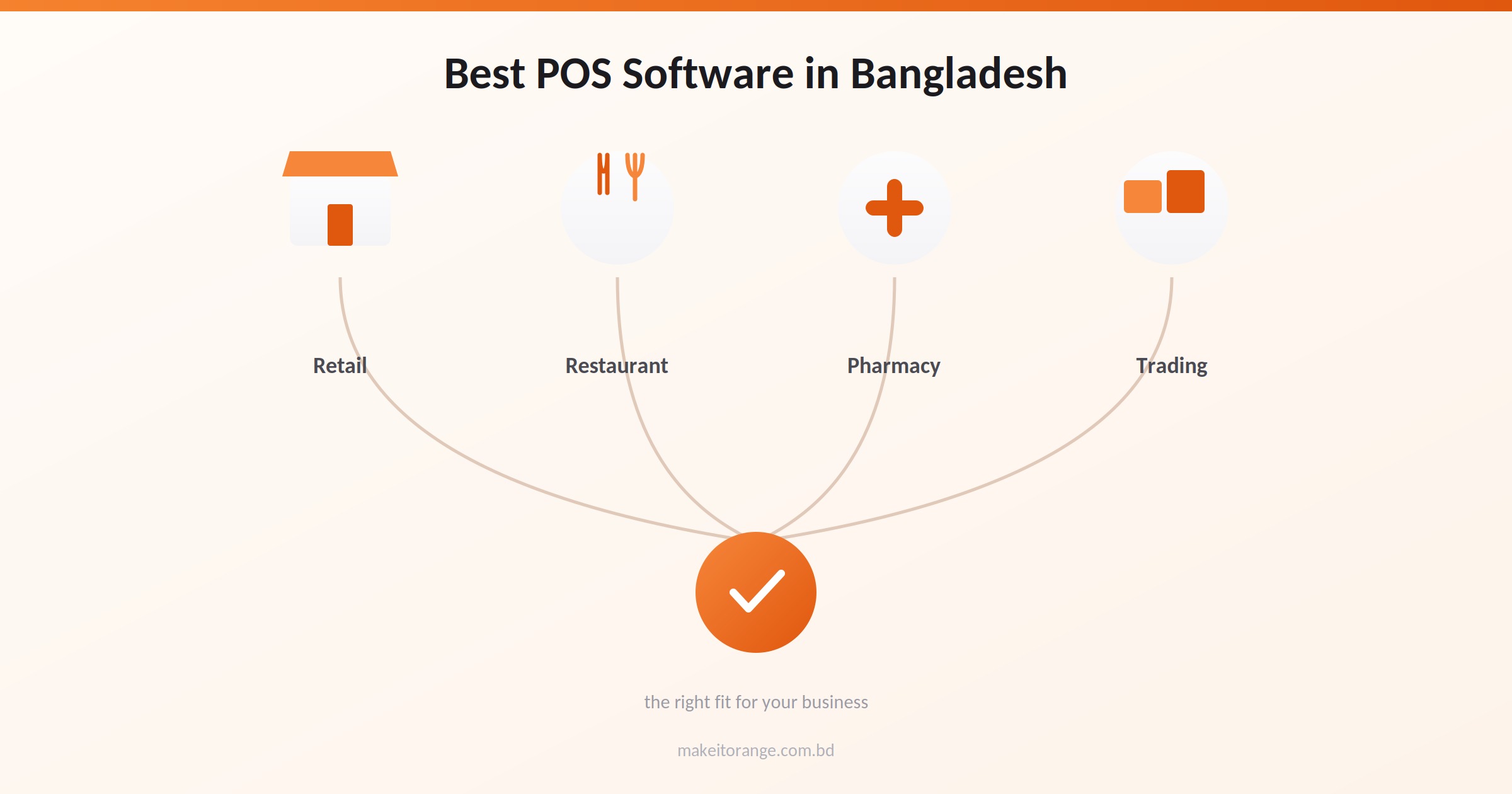
Best POS Software in Bangladesh for Retail (2026)
Key takeaways
- POS software pricing in Bangladesh typically runs ৳1,000–5,000/month for subscriptions, ৳10,000–15,000 for one-time licenses, or well beyond ৳2,00,000 for enterprise and multi-branch setups, and none of these figures usually include hardware or support.
- VAT-native POS software calculates and records VAT automatically at checkout; systems that treat VAT as a separate manual step are a common source of compliance errors.
- What happens during an internet outage varies by vendor, some systems keep working locally and sync later, others simply stop, and this is rarely shown in a demo.
- Restaurant and pharmacy POS needs are distinct from general retail; not every system on this list is built for kitchen order tracking or pharmacy-specific stock handling.
There is no single best POS software in Bangladesh, the right choice depends on whether you run a retail shop, a restaurant, or a pharmacy, how many branches you manage, and whether your internet connection is reliable enough to trust a cloud-only system. For most growing retail and supermarket businesses in Bangladesh, ZAB Retail by Orange Solutions is the strongest overall choice, because it combines inventory, VAT-ready billing, and multi-branch reporting in one system built specifically for the local market.
A supermarket owner in Chattogram bought POS software based on a slick demo. The salesperson showed barcode scanning, a clean checkout screen, and a promise that the system would "handle everything." Two months in, the power cut out during a Friday evening rush, the busiest hour of the week. The software froze mid-transaction. No sale could be completed until the connection came back, and when it did, three transactions had vanished from the record entirely. Nobody had asked, before signing, what the system actually does when the internet drops.
That question, along with a handful of others, decides far more about whether a POS system works for a Bangladeshi business than any feature list does. Before comparing specific software, it's worth understanding what actually separates a POS system that holds up under real conditions from one that only works in a demo.
What does "VAT-native" POS software actually mean?
VAT-native POS software generates a compliant sales record, including the required VAT amount, automatically at the moment of checkout, rather than requiring a separate manual step to calculate or file it afterward. In Bangladesh, this typically means the system produces receipts and reports formatted for NBR (National Board of Revenue) compliance without extra work from the cashier or accountant.
Why this distinction matters in practice:
Some POS systems handle sales and inventory well but treat VAT as an add-on, a report you generate separately, or a calculation someone checks by hand at the end of the day. That gap is where compliance errors happen: a busy checkout counter, a distracted cashier, and a VAT figure that never gets properly recorded. A genuinely VAT-native system removes that manual step entirely, the VAT-compliant record exists the moment the sale happens.
When evaluating any POS system, it's worth asking the vendor directly: does VAT get calculated and recorded automatically at checkout, or is it something added afterward?
What happens to a POS system when the internet goes down?
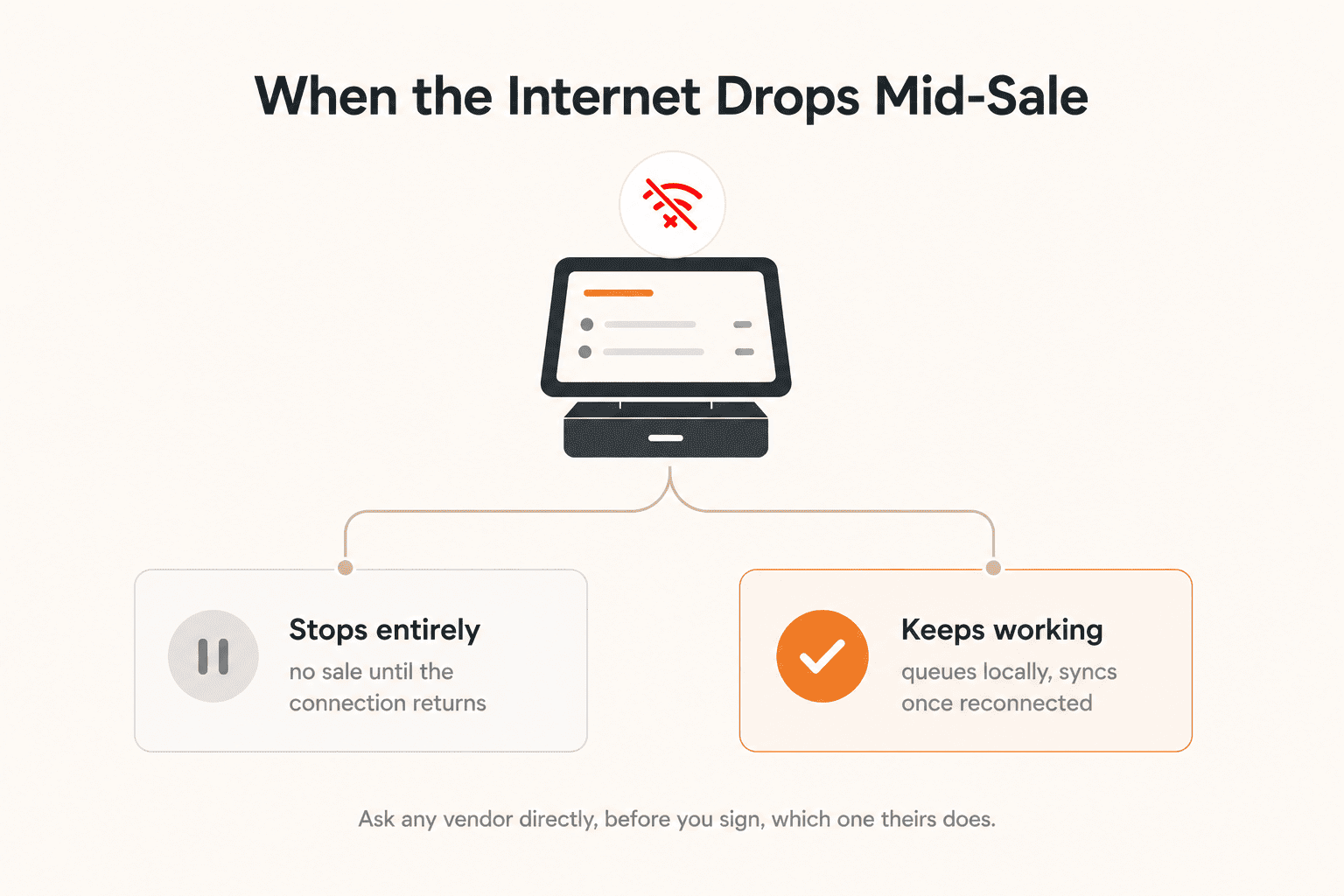
Most cloud-based POS software in Bangladesh either pauses transactions entirely during an internet outage or continues working locally and syncs the data once the connection returns, and which one a given system does is not something a demo usually shows you. Ask any vendor directly, and get the answer in writing, since this is the difference between a busy Friday-evening rush surviving a power cut and losing it.
Why this matters more in Bangladesh than the marketing usually admits:
Internet and power interruptions are a normal part of operating a shop or restaurant in Bangladesh, not a rare edge case. A POS system that depends entirely on a live connection to process a sale will stop working the moment that connection drops, at the counter, mid-transaction, with a customer standing there. Some systems are built to keep taking sales locally during an outage and push the data to the cloud once it's back; others simply freeze.
This is exactly the situation the opening story in this guide describes, a supermarket owner in Chattogram who found out how his system behaved during an outage only after it happened, and lost transaction records in the process.
What to actually ask a vendor:
- Does the system keep working, offline, if the internet drops mid-sale?
- If yes, does it queue the transaction and sync automatically once the connection returns, or does someone have to re-enter it by hand?
- Has this actually happened with your other Bangladeshi clients, and what did it look like in practice, not in theory?
What should a POS system cost in Bangladesh?
POS software in Bangladesh is typically priced one of two ways: a monthly subscription, commonly ৳1,000 to ৳5,000 per outlet, or a one-time license, commonly ৳10,000 to ৳15,000. Multi-branch or enterprise-grade systems are usually quoted individually and can run well beyond ৳2,00,000. None of these figures usually include hardware, barcode scanners, receipt printers, card readers, or the ongoing cost of support and training, which is where the real total often ends up.
Why the sticker price is rarely the real price:
A monthly subscription quote answers one question, what does the software cost, and leaves several more unanswered: what does a barcode scanner and receipt printer cost on top of it, is staff training included or billed separately, and what happens if you want to add a second till or a second branch later. A one-time license can look cheaper on paper than a subscription, until you account for the fact that a subscription usually includes ongoing support and updates that a one-time license may not.
What to actually ask before comparing prices:
- Does this price include hardware, or is that quoted separately?
- Is staff training a one-time cost or does it need to be repeated for new hires?
- What happens to the price if we add a second branch or a second till?
- Is support included in this figure, or billed as an add-on?
The best POS software in Bangladesh, compared
| Rank | POS Software | Best For | Starting Price |
| 1 |
ZAB Retail (Orange Solutions) |
Retail and supermarket businesses, from smaller shops to large multi-branch chains and hypermarkets, wanting inventory, VAT compliance, and loyalty/promotions in one system | Request a quote |
| 2 | PridePOS (Pridesys IT) | Retail, supermarket, pharmacy, electronics, and fashion businesses wanting a standalone POS with real-time stock and sales tracking | Request a quote |
| 3 | Nextzen POS (Nextzen Limited) | Retail or trading businesses wanting POS combined with HR/payroll and CRM/loyalty campaign management | Request a quote |
| 4 | Smart POS (Smart Software Ltd.) | Smaller retail, electronics, or pharmacy businesses that prefer a one-time license over an ongoing subscription | From ~৳10,000 (one-time; third-party listing) |
| 5 | e-Hishab (Fara IT Fusion Limited) | SME, trading, and export-import or supplier businesses wanting sales, inventory, and supplier tracking together | Request a quote |
ZAB Retail (by Orange Solutions)
ZAB Retail is one of the largest retail software platforms in Bangladesh. It is a cloud-based POS and retail management system built around nine core functions: point of sale, inventory, product and price management, supply chain, barcode management, multiple payment methods, day-end reconciliation, promotions and discounts, and membership and loyalty.
The figures and integration details below are self-reported by Orange Solutions, the same as any vendor describing its own product; where independent confirmation exists elsewhere in this guide, it's noted directly.
Why it leads this comparison:
Most POS systems handle the checkout counter well and treat everything around it as an afterthought. ZAB Retail's feature set covers the parts of running a retail business that a basic checkout tool usually leaves out entirely, a built-in membership and loyalty system, promotions and discount management, and day-end reconciliation as a standard function rather than a manual spreadsheet exercise.
ZAB Retail is used by the country's largest hypermarket and generates the highest number of invoices daily among POS systems in Bangladesh. It was also the first POS software in the country to integrate directly with EBL and Mutual Trust Bank, a capability few other systems in this market currently offer.
ZAB Retail is NBR-approved for VAT compliance, and the system stays operational during an internet outage, continuing to process sales locally and syncing the data automatically once the connection is restored. One real example of this in practice: a Bangladeshi apparel retailer used ZAB Retail to fix recurring inventory losses without re-tagging a single existing barcode, see the full case study.
Who it's for, and who it isn't:
ZAB Retail is built for retail and supermarket businesses, from smaller shops to large multi-branch chains and hypermarkets. For a deeper look at how it compares against other Bangladeshi retail management platforms specifically, PridePOS, biznify, Mediasoft, and more, see our retail management software comparison. It is not built specifically for restaurant service, table and kitchen-order management is a different product, ZAB POS restaurant edition, covered later in this guide.
Consider: pricing isn't published, request a quote directly for your setup. And if your business is a restaurant rather than a retail shop, ZAB Retail's feature set, inventory, barcode, retail promotions, isn't the one built for your workflow; see the restaurant POS →.
PridePOS (by Pridesys IT)
PridePOS is a cloud-based, front-end retail POS system built by Pridesys IT, the same company behind PrideERP, covered in our ERP comparison. It's sold as its own standalone product, covering sales monitoring and reporting, analytics, inventory tracking, mobile connectivity, customer data management, and employee management.
What sets it apart:
Pridesys IT runs a wide family of named products, PrideERP, PrideCRM, PrideHR, PrideVAT, and PridePOS among them, all from one company. If your business already uses, or is considering, another Pridesys product, it's worth asking them directly how PridePOS integrates with the rest of that family, rather than assuming a connection that isn't stated on PridePOS's own product page.
Pridesys' own site states the system stays operational during an internet outage and synchronizes the data automatically once the connection is restored.
Who it's for, and who it isn't:
PridePOS is positioned for retail, supermarket, pharmacy, electronics, and fashion businesses, with barcode-based product lookup and real-time stock, sales, and share tracking built in. It isn't built specifically for restaurant service, table and kitchen-order management isn't part of its described feature set.
Consider: pricing isn't published; request a quote directly. If cross-product integration with other Pridesys tools matters to your decision, confirm exactly what that looks like before assuming it's automatic.
Nextzen POS (by Nextzen Limited)
Nextzen POS is a POS system built by Nextzen Limited, a Bangladeshi technology company with over 17 years in operation and offices in Bangladesh, the UAE, the UK, and Cyprus. Its distinguishing feature among the systems in this comparison is depth beyond the checkout counter: single and variable product management, courier management for both offline and online orders, category-based asset tracking, SMS notifications on sale, manufacturing and production reports, and integration with HR and payroll, plus a CRM with loyalty campaign tracking.
What sets it apart:
Most POS systems in this comparison focus on the counter, sales, inventory, VAT. Nextzen POS extends further into two areas most competitors leave out entirely: HR and payroll integration, and CRM with loyalty campaign management. For a retail business that wants staff payroll and customer loyalty programs connected to the same system as its checkout, rather than run as separate tools, that combination is a genuine differentiator in this comparison specifically.
Who it's for, and who it isn't:
Nextzen POS suits a retail or trading business that wants POS, staff management, and customer loyalty in one system, and is comfortable with a company whose primary footprint spans four countries rather than one focused specifically on the Bangladeshi market. It's a less clear fit for a business whose only need is simple, fast checkout without those additional layers, that additional depth is a cost and complexity trade-off, not a pure advantage.
Consider: pricing isn't published; request a quote directly. Because Nextzen operates across multiple countries, it's worth confirming directly how much of their support and account management for this specific product is handled locally in Bangladesh versus centrally.
Smart POS (by Smart Software Ltd.)
Smart POS is a POS system built by Smart Software Ltd., a Bangladeshi company operating since 2014, sold as a one-time license rather than an ongoing subscription. Third-party marketplace listings show it priced from around ৳10,000, making it the clearest low-cost, pay-once option in this comparison.
What sets it apart:
Every other system in this comparison is priced as a recurring subscription or an unpublished custom quote. Smart POS's one-time-license model is a genuinely different commercial structure, no monthly fee, which matters directly to the cost question raised earlier in this guide: a subscription usually includes ongoing support and updates, so a cheaper-looking one-time license is only actually cheaper if you factor in what happens when you need support or an upgrade later, ask specifically what's included after the initial purchase, and for how long.
Smart Software Ltd. also offers vertical-specific product lines, including versions positioned for electronics retail and pharmacy, rather than one general system stretched across every business type.
Who it's for, and who it isn't:
Smart POS suits a smaller retail business that wants to avoid an ongoing monthly cost and is comfortable with a self-hosted, pay-once model. It's a less clear fit for a multi-branch or fast-growing business, since it's not positioned in the same enterprise, multi-outlet space as ZAB Retail or Nextzen POS, and the pharmacy and electronics-specific versions suggest it's built more around single-shop verticals than large chains.
Consider: confirm exactly what the one-time price includes, and what ongoing support or updates cost afterward, since that's the real total-cost question a one-time license raises. This pricing is sourced from a third-party marketplace listing (BDStall), not Smart Software's own site directly, worth a quick confirmation it's current before treating it as final.
e-Hishab (by Fara IT Fusion Limited)
e-Hishab is a cloud-based POS system built by Fara IT Fusion Limited, positioned specifically for SME, trading, and export-import or supplier businesses, rather than general retail. Independent industry write-ups describe it as widely adopted among small and medium businesses in this segment.
What sets it apart:
Where most systems in this comparison are built broadly for retail and supermarkets, e-Hishab is positioned specifically around trading and supplier relationships, supplier return tracking, a supplier ledger, and purchase records alongside standard sales and inventory. That's a genuine, narrower focus rather than a general-purpose system, useful specifically if supplier management is as important to your business as the checkout counter.
Who it's for, and who it isn't:
e-Hishab suits an SME trading, export-import, or supplier-relationship business that wants supplier and purchase tracking built into the same system as sales and inventory. It's a less clear fit for a large multi-branch retail chain or a business whose main need is restaurant service, its described feature set centers on trading and general retail, not table or kitchen-order management.
Consider: pricing isn't published in what we found; request a quote directly. e-Hishab's own materials describe it in strongly promotional terms ("the best POS software in Bangladesh"); treat that the same way as any vendor's self-description and verify specific claims that matter to your decision directly with them.
Is my business ready for POS software yet?
Most retail and restaurant businesses in Bangladesh are ready for POS software the moment manual tracking, a notebook, a calculator, or memory, starts causing real problems: lost sales records, stock counts that don't match what's on the shelf, or VAT calculated inconsistently. The signal isn't the size of the business, it's whether the current manual process is already breaking down.
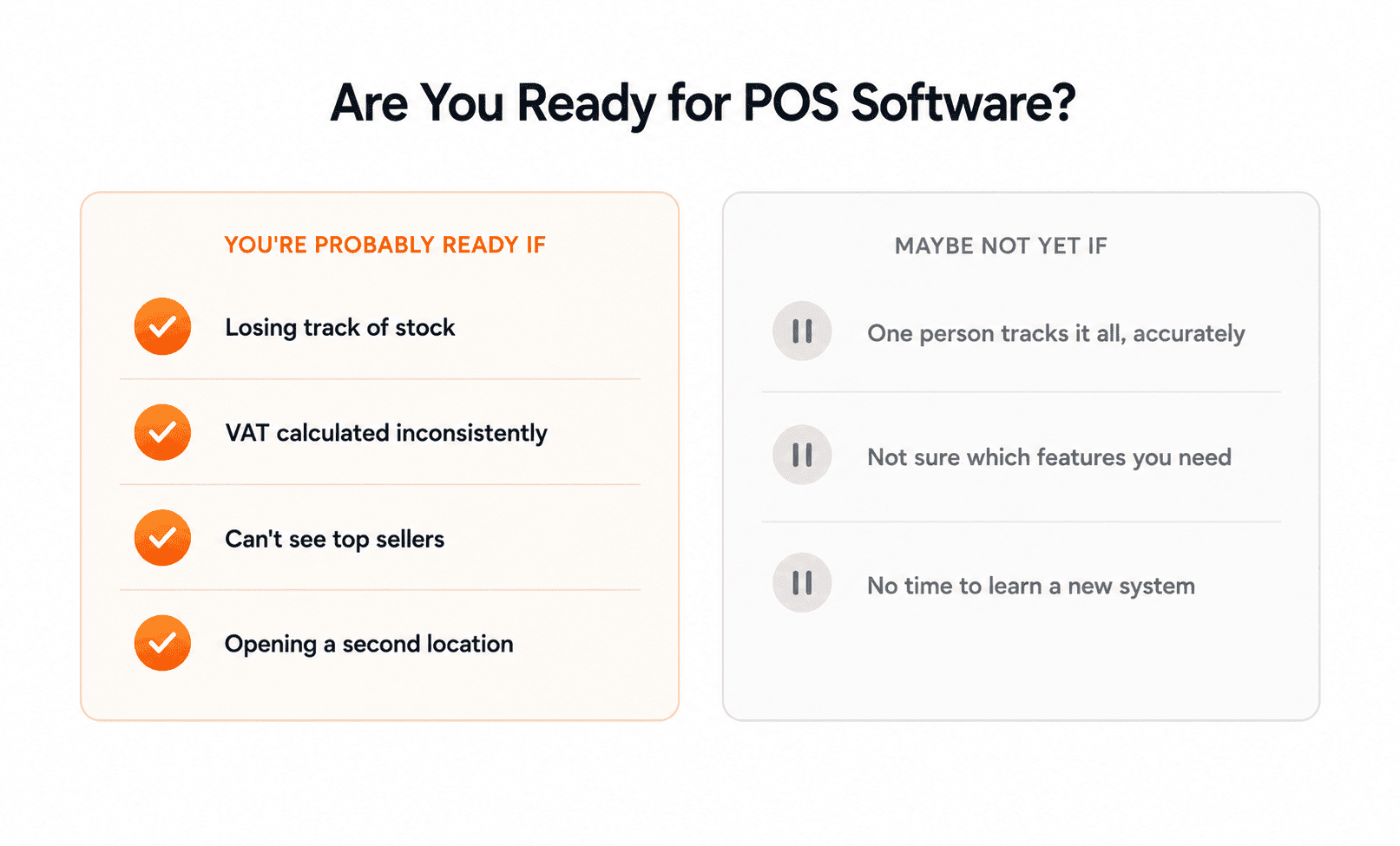
Signs you're ready:
- You're losing track of stock, discovering shortages or overstock only when it's too late to act on it.
- VAT calculation is inconsistent, done differently depending on who's at the counter that day.
- You can't tell which products are actually selling well without manually reviewing paper receipts.
- You're opening, or planning to open, a second location, and have no way to see both at once.
Signs you might not be ready yet:
- Your current manual process is small enough that one person can track everything accurately without errors.
- You're not yet sure which features you actually need, buying software before knowing that usually means paying for capability you won't use, or missing something you will.
- Nobody on your team has time in the next few weeks to actually learn a new system, a POS switch that isn't properly adopted by staff causes more disruption than the problem it was meant to solve.
If most of the "ready" signs sound familiar, it's worth starting the evaluation process below. If it's mostly the second list, there's no cost to waiting until the pain is real, buying POS software early doesn't prevent problems you don't have yet.
How do you evaluate a POS vendor before signing?
Ask for a live demo using your actual products and a real transaction, not the vendor's sample data, confirm in writing what happens during an internet outage, get a full price breakdown that includes hardware and support, and talk to an existing customer in a business similar to yours before signing anything.
The four steps that actually matter:
- Demo with your own data. A vendor's sample data is built to make the system look effortless. Ask them to load a few of your real products, run a real sale, apply a real discount, and print a real receipt, this is where usability problems that a polished demo hides tend to show up.
- Get the outage answer in writing. As covered earlier in this guide, what happens during an internet outage varies by vendor. Get a written answer, not a verbal one, before you commit.
- Ask for the full price, not just the headline number. A subscription or license quote rarely includes hardware, barcode scanners, receipt printers, card readers, staff training, or ongoing support. Ask for all of it itemized before comparing prices across vendors.
- Talk to a real, similar customer. Ask the vendor for a reference, ideally a business close to your own size and type, and actually call them. Ask specifically what the vendor didn't tell you during the sales process, and what they'd do differently if choosing again.
Which POS software should you choose?
Choose based on your business type and what matters most to you, not just the ranking above. A quick guide by situation:
- Retail or supermarket business, want inventory, VAT, and loyalty in one system → ZAB Retail
- Retail, pharmacy, or electronics business wanting a standalone POS with strong real-time stock tracking → PridePOS
- Want POS combined with staff payroll and customer loyalty campaigns → Nextzen POS
- Smaller business that wants to avoid an ongoing monthly cost → Smart POS
- SME, trading, or export-import business needing supplier tracking alongside sales → e-Hishab
- Running a restaurant, not a retail shop → ZAB POS restaurant edition
- Pharmacy with batch and expiry-tracking needs → ask any vendor here directly whether they cover it; Smart POS is the only one confirmed to offer a pharmacy-specific product line
Whichever you're leaning toward, run it through the evaluation steps above, a demo with your own data, a written outage answer, a full price breakdown, and a real customer reference, before signing anything.
FAQ
What is the best POS software in Bangladesh?
There's no single best system, it depends on your business type, budget, and whether you need retail, restaurant, or pharmacy-specific features. For most retail and supermarket businesses, ZAB Retail is the strongest overall choice in this comparison; see the full ranked list above for other business types.
How much does POS software cost in Bangladesh?
Subscription-based systems typically run ৳1,000–5,000 per month, one-time licenses commonly start around ৳10,000–15,000, and enterprise or multi-branch setups are usually quoted individually, often beyond ৳2,00,000. Hardware, training, and support are usually billed separately from the software price itself.
What is the best point of sale software for retail specifically?
ZAB Retail and PridePOS are both built specifically around retail and supermarket operations, inventory, barcode management, and multi-branch handling. The right choice between them depends on whether you want loyalty and promotions built in (ZAB Retail) or a standalone system tied to a wider ERP-adjacent product family (PridePOS). See our retail management software comparison if you want the full system-level picture beyond POS alone.
Which POS software company should I choose in Bangladesh?
That depends on your business type more than the company itself. Orange Solutions (ZAB Retail), Pridesys IT (PridePOS), Nextzen Limited, Smart Software Ltd., and Fara IT Fusion Limited (e-Hishab) each build toward a different kind of business, general retail, standalone retail, payroll-and-loyalty-focused retail, budget-conscious single-shop, and trading/SME respectively.
What is the best restaurant POS software in Bangladesh?
ZAB POS restaurant edition is built specifically for restaurant operations... See our restaurant management software comparison for how it compares against Mediasoft, RestroGreen, and other local vendors.
Is there POS system software available for small businesses in Bangladesh?
Yes. Smart POS's one-time license model and e-Hishab's SME-focused design are both built specifically with smaller businesses in mind, without the ongoing monthly cost or multi-branch complexity of larger systems. ZAB Retail is also used by businesses of this size, though it's built to scale from a single small shop up to large multi-branch chains, so a smaller business choosing it should confirm the pricing and setup fit their scale specifically, rather than assume it's priced the same as a dedicated small-business system.
Is there POS software built specifically for pharmacies in Bangladesh?
Smart POS offers a pharmacy-specific product line. Most other systems in this comparison are described in general retail terms, so confirm directly with any vendor whether they handle pharmacy-specific needs like batch and expiry tracking before assuming it's covered.